 OpenCanvas
Free. Actually free.
No trials, no watermarks, no “Pro” crown on the feature you need. Everything in the editor is available to everyone.
MIT Free & open source — every feature, forever
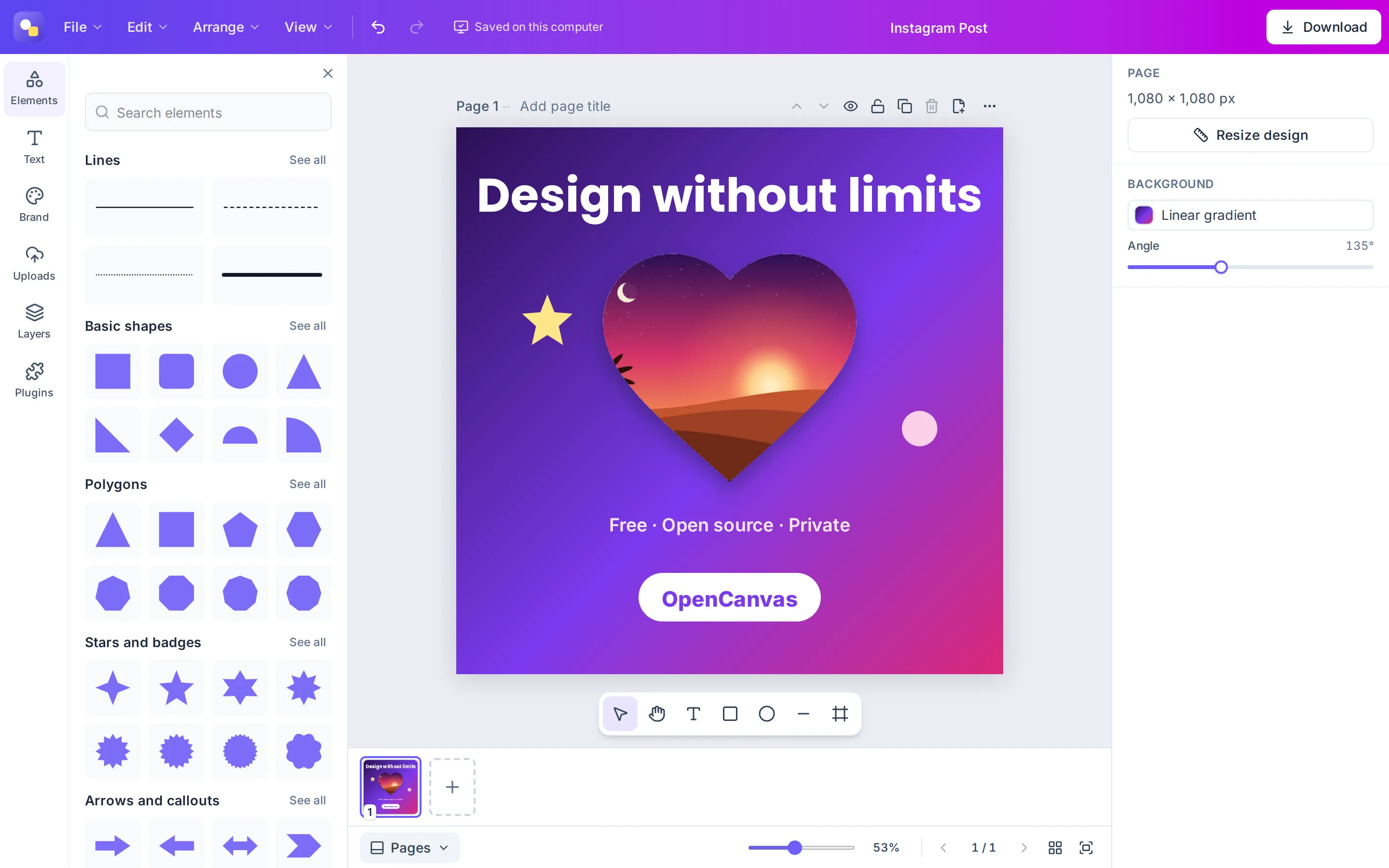
OpenCanvas is a free, open-source design editor you run yourself: photo frames, crop, 28,342 icons, brand kits, multi-page designs and professional exports. No subscriptions, no premium tier, no account. Your designs never leave your device.
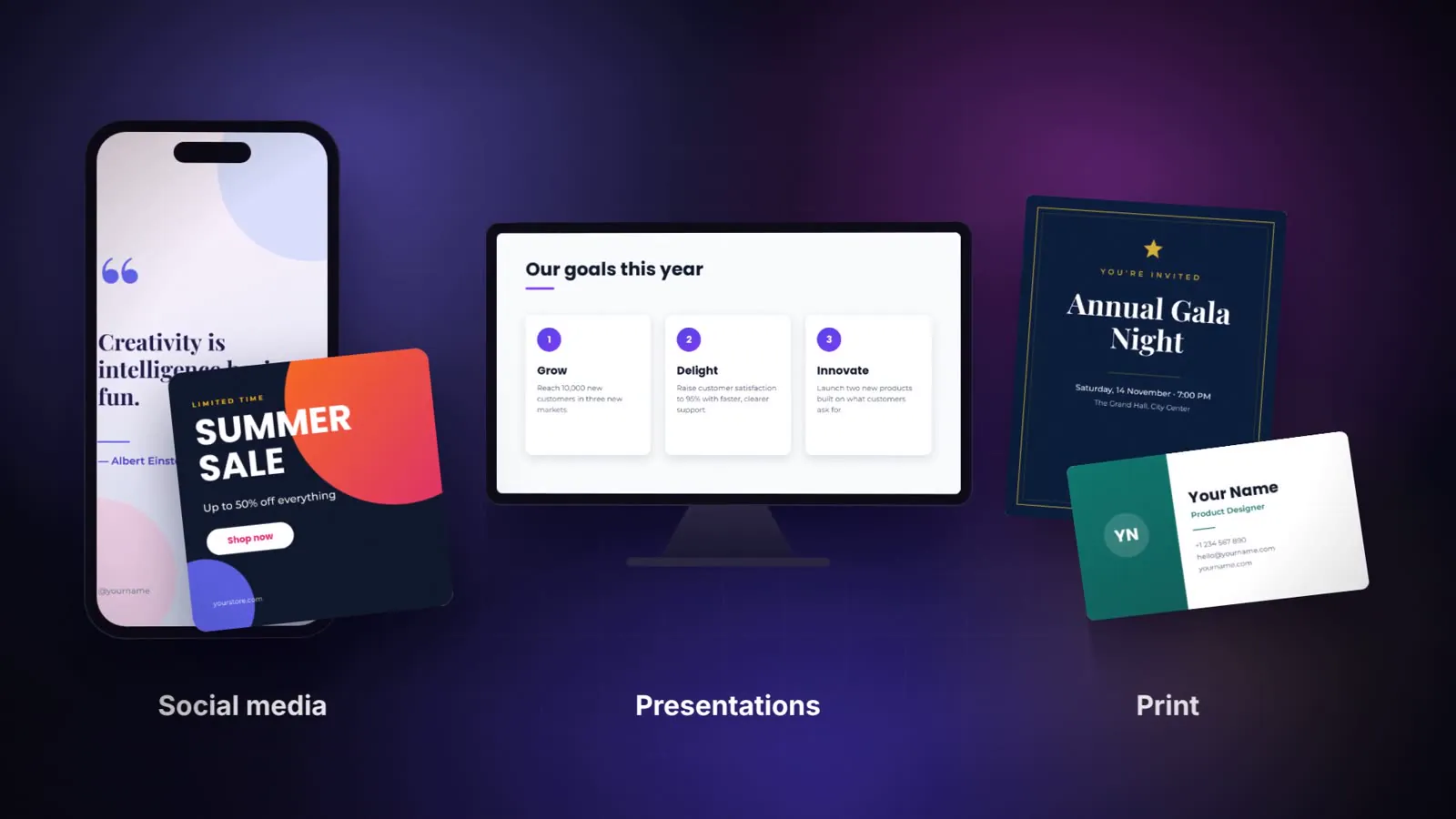
Online design tools are great until you hit the paywall: the frame you wanted is Pro, the transparent export is Pro, the brand kit is Pro. OpenCanvas takes the opposite approach: build it in the open, give every feature to everyone, and let you keep your work.
No trials, no watermarks, no “Pro” crown on the feature you need. Everything in the editor is available to everyone.
Install it on your laptop with one line, or on your own server with Docker for your team, school or company.
Designs and uploads are saved on your own computer. No account, and no one looking at your work. Want a backup? Connect your own R2 or S3 bucket, never ours.
Read every line, change anything, fork it, translate it, build a business on it. The MIT license makes it truly yours.
Ehab Kahwati
Creator of OpenCanvas
I believe software is something we have a right to: all of it, with every feature, for free.
Whatever tool exists online today, we can build one just like it, use it for free and keep our data private. We don't have to accept a monthly bill and someone else's cloud as the price of being creative.
I want us to be builders, not just consumers: people who make things that belong to us, instead of renting them one subscription at a time.
And for the first time, that dream is within reach. With the power of AI, a small team, even one determined person, can build what used to take an entire company. OpenCanvas is my proof. Now it's yours, too.
— Ehab Kahwati, creator of OpenCanvas
Pick a feature: every clip is recorded from OpenCanvas running in a browser. No mockups.
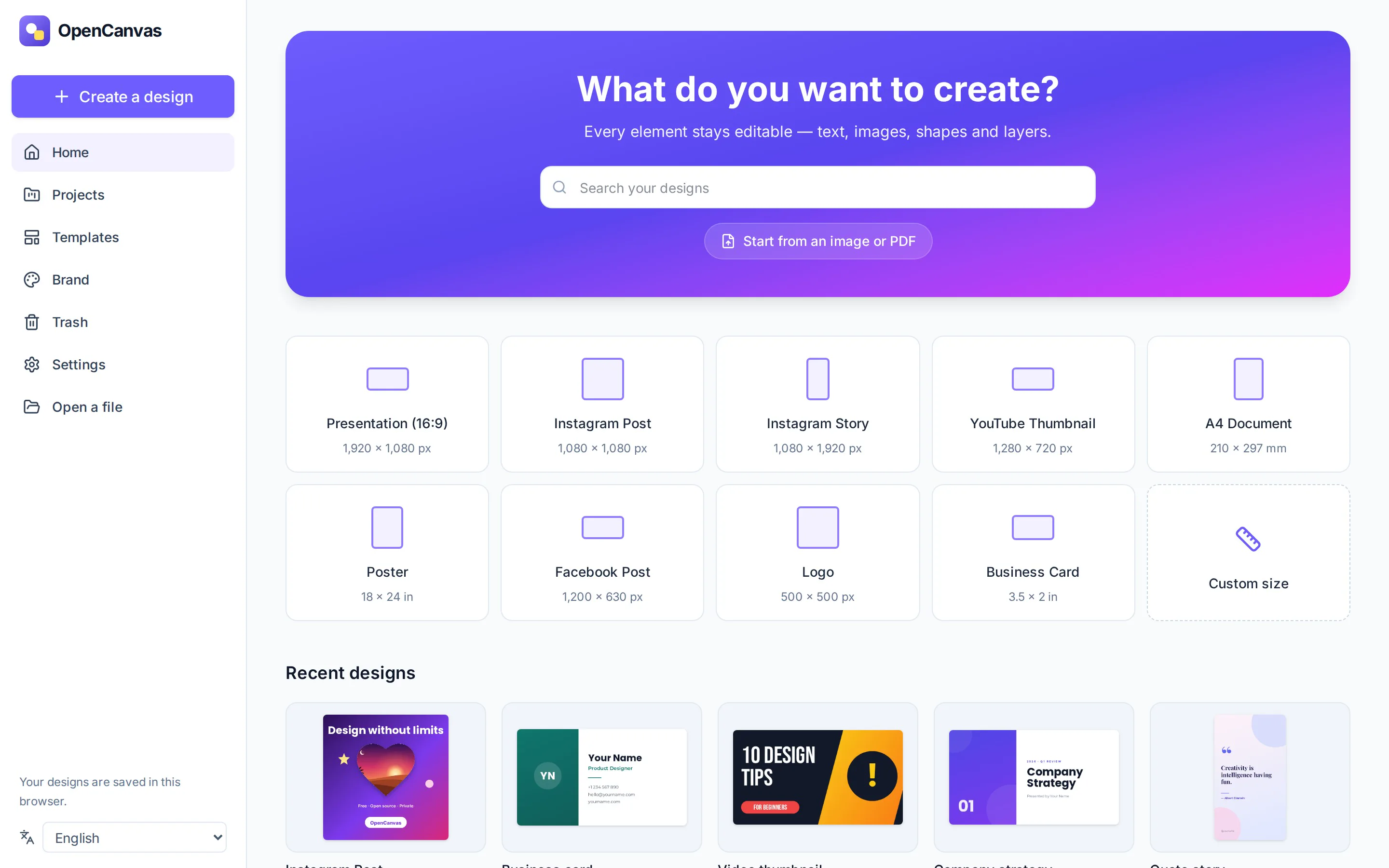
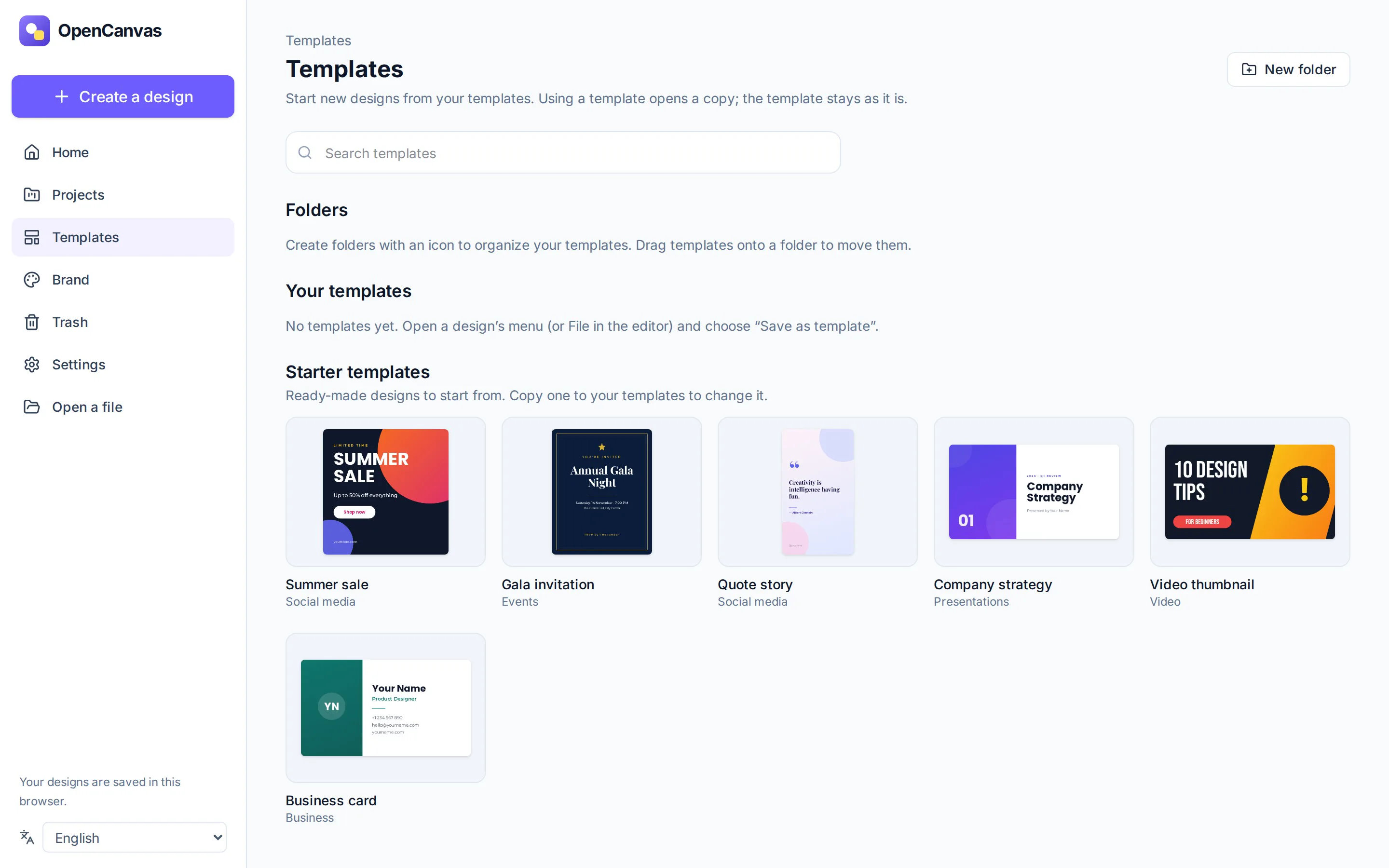
Start from bilingual starter templates, or save any design as a template and file it in folders with their own icons. Using a template opens a copy in a new tab, so the original never changes.
Drag a photo onto a heart, a letter, a Polaroid, a gold frame or a phone mockup and it takes the frame's shape instantly. Drag another photo over it to swap.
Double-click a photo to crop it: drag the image inside its frame, scale it from the corners and press Done. The original is never lost, so you can reset whenever you like.
Pick from 210 shapes (arrows, speech bubbles, banners, flowchart symbols, 3D solids and more), 27 lines and curves, and nine open-source icon libraries, flags included. Search in English or Arabic: “rocket” and “صاروخ” both work.
Tune photos live with brightness, contrast, saturation, hue, warmth, black and white, sepia and vignette, and give any element gradients, strokes, shadows, blur and 16 blend modes.
Build presentations, carousels and documents. Switch between a single page, thumbnails, continuous scroll and a grid of every page, then rename, reorder, hide, lock or duplicate any page.
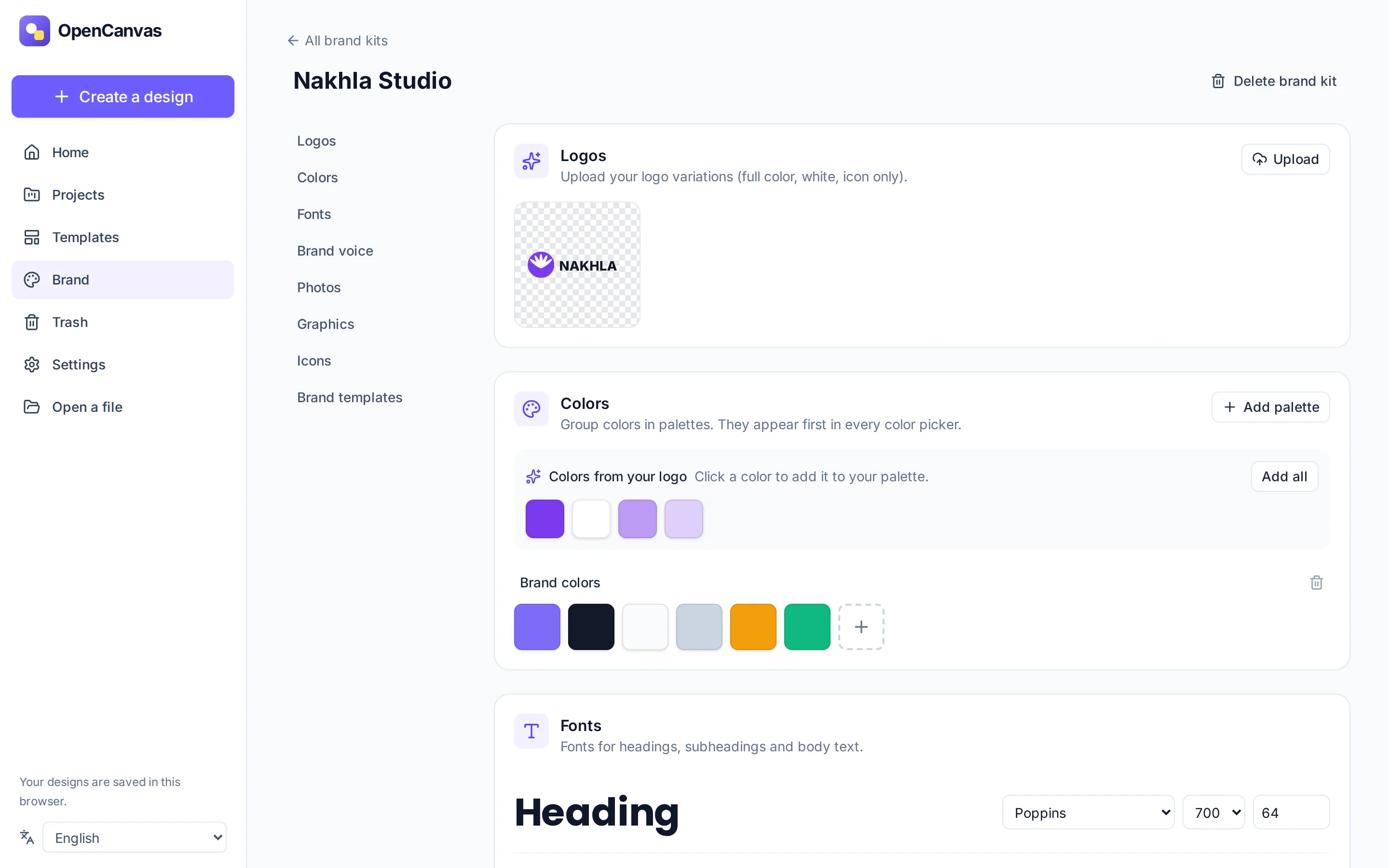
Keep your logos, colors and fonts in one place and apply them in a click. Create as many brand kits as you need: for yourself, your clients or each project.
PNG, JPEG and WebP at any size, transparent backgrounds, compressed PNGs or a maximum file size; SVG with embedded fonts; PDF and print PDF; and multi-page ZIPs. The features others charge for are simply there.
Add a 3×3 grid of guides in one click, drag new guides straight from the rulers, and watch elements snap into place. Precise layouts without the fiddling.
Instagram posts and stories, TikTok, YouTube thumbnails, presentations, A4 and US Letter documents, posters, business cards, whiteboards and more, or a custom size in pixels, millimeters or inches.
A fully mirrored right-to-left interface, correct letter shaping, Arabic, English and numbers mixed on the same line, Arabic justification and 30 Arabic font families. Built in from day one, not bolted on.
Real text layout with wrapping, lists, letter and line spacing, effects and web fonts.
Reorder, lock, hide, group and align. Every element stays a separate, editable layer.
Gradients, strokes, shadows, blur, 16 blend modes and image adjustments.
Every change is a validated command, so undo, redo and autosave always agree.
Saved instantly to your browser. Close the tab mid-edit and nothing is lost; two tabs never overwrite each other.
Shortcuts for everything, keyboard-only editing and WCAG 2.1 AA checks in every test run.
Designs are structured, documented JSON, never flattened images. Your work is portable.
Editing commands export as tool definitions, so AI agents can edit real designs instead of generating flat pictures.
Upload your own fonts and SVG icons, or install plugins that add commands, panels and icon packs. Plugins run in a sandbox with the permissions you approve.
All free for commercial use. Every icon is a vector you can recolor and resize, searchable in English and Arabic; flags keep their colors and are found by their Arabic names too.
| Topic | Typical paid design platforms | OpenCanvas |
|---|---|---|
| Price | Limited free tier; premium features need a monthly subscription | Free. Every feature, forever |
| Locked features | Transparent exports, brand kits, many frames and elements | None. Nothing is locked |
| Where your designs live | On the company's servers | On your device |
| Account | Required | Not needed |
| Self-hosting | Not possible | Two commands, or Docker |
| Source code | Closed | Open, MIT license |
| If the service shuts down | Your library may go with it | Your files and the app stay yours |
Being honest: the big platforms still have things we don't yet: huge template and stock photo libraries, real-time collaboration and video editing. They are all on our roadmap, and every contribution brings them closer.
When you install, OpenCanvas asks one question: keep your work on this computer only, or also in your own cloud storage (Cloudflare R2 or Amazon S3). Choose the cloud and you get a backup that follows you, without giving your designs to anyone.
Every change is saved at once on your computer, so you never wait for the internet.
Designs, photos, PDFs, brand kits, fonts and plugins go to your own bucket, a few seconds after you stop editing: compressed, each file once, in few small requests. The keys stay on your computer.
One status tells you where your work is: “Offline: saved on this computer”, then “Saved to your cloud” once the connection is back and the upload is done, all by itself.
On a new computer, or after removing OpenCanvas, choose the same bucket and your whole library comes back.
==> Where to keep your work

Where should OpenCanvas keep your work?

  1) On this computer only
  2) On this computer, and synced to your own cloud storage
     (Cloudflare R2 or Amazon S3)

Choose 1-2: 2
Checking the connection… connected.
✓ Found your OpenCanvas library from before (12 designs, 40 files).opencanvas cloud.
Paste one line in a terminal. It downloads everything OpenCanvas needs, runs it quietly in the background and
opens it in your browser at localhost:4790. Everything stays on your computer.
opencanvas stop
Stops it until you run opencanvas start
1 Open Terminal (Spotlight: ⌘ Space, type “Terminal”) and paste
curl -fsSL https://raw.githubusercontent.com/Devehab/OpenCanvas/HEAD/install.sh | bash2 To stop it, start it again, update or remove it
opencanvas stop
opencanvas start
opencanvas update
opencanvas uninstall
It opens http://localhost:4790 by itself. Bookmark it.
1 Open a terminal and paste
curl -fsSL https://raw.githubusercontent.com/Devehab/OpenCanvas/HEAD/install.sh | bashNo curl? sudo apt install curl (Debian, Ubuntu) or sudo dnf install curl (Fedora).
2 To stop it, start it again, update or remove it
opencanvas stop
opencanvas start
opencanvas update
opencanvas uninstall
Open http://localhost:4790 and start designing.
1 Open PowerShell (Start menu, type “PowerShell”) and paste
irm https://raw.githubusercontent.com/Devehab/OpenCanvas/HEAD/install.ps1 | iexNo administrator rights needed. It starts when you sign in to Windows.
2 To stop it, start it again, update or remove it
opencanvas stop
opencanvas start
opencanvas update
opencanvas uninstall
It opens http://localhost:4790 by itself. Bookmark it.
1 Clone the repository
git clone https://github.com/Devehab/OpenCanvas.git
cd OpenCanvas
2 Build and start the container
docker compose up -d --build
Another port? PORT=8080 docker compose up -d --build. Guides for Coolify and Hetzner are in
docs/deployment.md.
Open http://localhost:3000, or your server's address.
1 Install Node.js 22+, then enable pnpm
corepack enable2 Clone and start the development server
git clone https://github.com/Devehab/OpenCanvas.git
cd OpenCanvas
pnpm install
pnpm dev
Open http://localhost:3000 and start coding.
OpenCanvas is built in the open. Whether you write code, design, translate or test, there is a place for you, and AI tools make your first contribution easier than ever.
Fork the repository on GitHub, then clone your fork.
git clone https://github.com/YOUR-NAME/OpenCanvas.gitOne branch per change keeps reviews focused.
git checkout -b feat/my-ideaThe editor reloads as you change the code.
pnpm install && pnpm devThe same checks run automatically on every pull request.
pnpm lint && pnpm typecheck && pnpm testPlaywright drives a real browser, with visual and accessibility checks.
pnpm build && pnpm test:e2eDescribe what changed and why, with a screenshot for UI changes. Read CONTRIBUTING.md and the Definition of Done first.
Designs are structured documents. Every change is a validated, undoable command, and one renderer draws the editor, every export and the server-side tests. Collaboration and AI will build on the same foundation.
UI ─▶ Commands ─▶ Transactions ─▶ Store ─▶ Renderer
React validated   atomic          records  Canvas2D
core
Document engine
Document model, schemas, commands, history and text layout
renderer
Renderer
Canvas2D rendering in the browser and in Node
export
Export
PNG, JPEG, WebP, SVG, PDF and .opencanvas files
editor
Interaction
Selection, tools, snapping, keyboard and text editing
web
The app
Next.js dashboard and editor, local storage, English and Arabic
The full design editor you see on this page.
Done: templates, font upload and sync to your own cloud. Next: sharing and vector PDF.
Timeline, animations, captions and MP4 export.
Real-time co-editing, live cursors, comments and version history.
An assistant that edits your real design, with any provider or a local model.
Yes. It is open source under the MIT license, with no paid tier, no locked features, no watermark and no trial. You can use it for personal and commercial work.
In your browser's storage (IndexedDB), on your own device. Designs are not sent to any server, not even when
you export. To back up or move a design, save it as an .opencanvas file.
No account at all. When you run OpenCanvas on your own machine, the editor, fonts and icons are all local, so it doesn't need the internet.
Yes. Deploy it with Docker on any server; the docs include guides for Coolify and Hetzner. Each person's designs stay in their own browser. Shared accounts and sync are planned for Phase 2.
Yes. Your designs are yours. The bundled icons use the MIT, ISC and Apache 2.0 licenses and the bundled fonts use open licenses (SIL OFL or Apache), all of which allow commercial use.
The editing experience is familiar: frames, crop, elements, brand kits, page views and a Download dialog that works the way you expect. The difference is that OpenCanvas is free, open and local. The comparison above lists what is still missing.
Fully: a mirrored right-to-left interface, proper letter shaping and bidirectional text, Arabic justification, 30 Arabic font families and icon search in Arabic.
Star the repository, share it with someone who pays for design tools, report bugs, translate, or pick an issue. The Contribute section shows how to start.
Install OpenCanvas, keep your designs on your own device, and help build the free design platform everyone deserves.